
How Can I Withdraw Money From Y999 and Fix Withdrawal Problems? 2026 Complete Guide
A hands-on, step-by-step walkthrough that shows you exactly how to move your Y999 Game earnings to Easypaisa, JazzCash or a bank, plus everything you need to know about fees, verification, common errors, and staying safe.
Why a solid withdrawal guide matters
Y999’s promise of quick cash can feel shaky when your request gets stuck or you’re unsure about fees. A clear process protects you from losing money, saves you hours of guesswork, and helps you spot scams before you even deposit a rupee. This guide gives you the exact UI actions, the numbers behind each method, and the “what-if” scenarios most tutorials ignore.
Prerequisites: What you need before you can withdraw
| Item | Why it matters | How to check |
| Latest Y999 app (v12.3 or newer) | UI elements change between versions; old screenshots won’t match. | Open Play Store → My apps & games → Y999 → Update. |
| Verified Y999 account | Unverified accounts are blocked from cashing out. | In the app, go to Profile → Verification; you should see a green “Verified” badge. |
| Valid payment method (Easypaisa, JazzCash, or a bank account) | Withdrawal will be rejected if the number or IBAN is wrong. | Double-check the exact format in your e-wallet or bank portal (e.g., Easypaisa = 03XX-XXXXXX). |
| 6-digit withdrawal PIN | This PIN is required for every payout and protects against unauthorized withdrawals. | Set it the first time you open the Withdraw screen; remember you’ll need it each time. |
| Secure device & internet | Weak Wi-Fi or rooted phones can cause “server error” responses. | Use a trusted Wi-Fi network; keep your OS and security patches up to date. |
Step-by-step visual walkthrough
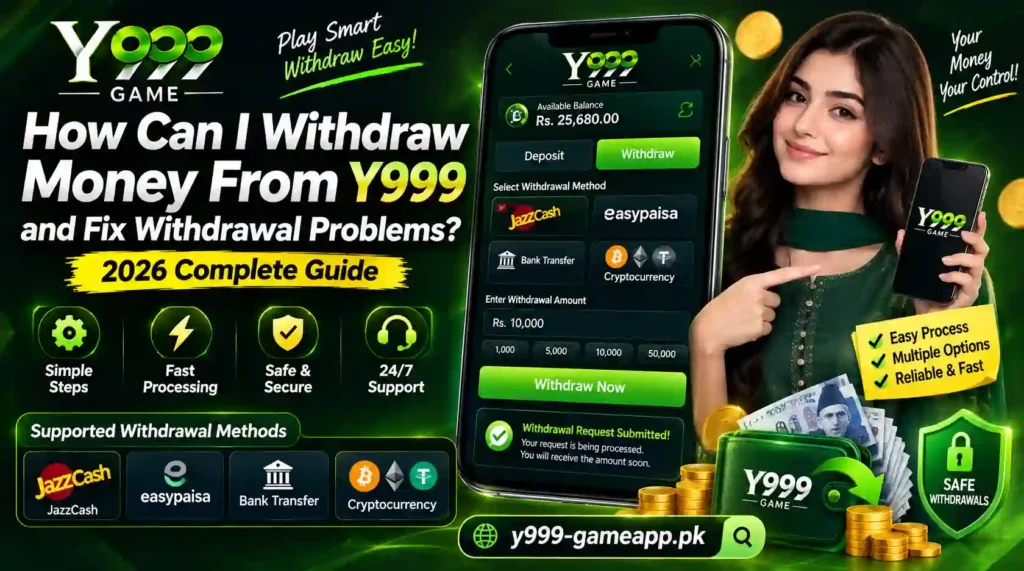
- Open the app → Wallet → Withdraw
- Set / Confirm your 6-digit withdrawal PIN
If this is your first payout, you’ll be prompted to create the PIN. Enter it again to confirm. - Choose a payout method
- Enter the amount. The app will automatically enforce the min/max limits.
- Review your details. Double-check the phone number or IBAN, and note the fee that appears at the bottom of the screen.
- Confirm with your withdrawal PIN. A final dialog shows “Processing…”. Take a screenshot of this confirmation; it serves as proof if you need to contact support later.
Quick cheat-sheet:
- Easypaisa → 03-####-####
- JazzCash → 03-####-####
- Bank → 16-digit IBAN (e.g., PK36SCBL0000001234567890)
Fees, limits & processing times
| Method | Fee (PKR) | Fee % | Min PKR | Max PKR per request | Avg. processing time |
| Easypaisa | 30 PKR | 2 % | 200 | 25 000 | 24–48 h |
| JazzCash | 25 PKR | 1.5 % | 200 | 20 000 | 12–24 h |
| Bank Transfer | 100 PKR | 0 % (flat) | 1 000 | 100 000 | 2–5 days |
Why fees differ: Easypaisa and JazzCash charge a percentage because the payment gateway bears transaction risk. Bank transfers have a flat fee but take longer because of inter-bank settlement.
Tip: If you need the money urgently, JazzCash is usually the fastest and cheapest for amounts under 5 000 PKR.
Verification (KYC) requirements
- Gather documents. A clear photo of both sides of your CNIC, a selfie holding the CNIC, and a utility bill (electricity or gas) as proof of address.
- Upload in-app. Go to Profile → Verification → Upload Docs; the screen will show three placeholders (CNIC front, CNIC back, selfie).
- Wait 1–3 days. You’ll receive a push notification once approved.
What happens if you skip verification?
- Your withdrawal request will be rejected with error ERR 202 (“Account not verified”).
- Limits stay at the “unverified” tier (max 2 000 PKR per request).
Common error codes & how to fix them
| Error | Meaning | Fix |
| ERR 101: Invalid payment details | The phone number or IBAN you entered doesn’t match the expected format. | Re-enter the number, double-check the country code (03 for Pakistani e-wallets). |
| ERR 202: Account not verified | KYC not completed or still pending. | Upload the required documents; if already uploaded, contact support with the verification ID. |
| ERR 303: Insufficient balance | Your “wallet” balance is lower than the amount you entered (bonuses don’t count). | Move funds from the “bonus” pool to the main wallet, or withdraw a smaller amount. |
| ERR 404: Service temporarily unavailable | Y999’s payout gateway is down for maintenance. | Wait 2–4 hours, then retry. Check Y999’s Telegram channel for outage announcements. |
| ERR 500: Server error | Generic backend failure, often caused by corrupted app cache. | Clear cache (Settings → Apps → Y999 → Storage → Clear cache) and restart the app. |
What to do if your withdrawal is pending for > 24 hours
- Open “Withdrawal History”. Locate the pending entry and note the Request ID.
- Verify the payment method. Ensure the number or IBAN is correct; a typo will keep the request in limbo.
- Use in-app support. Tap the entry, then Contact Support; attach the confirmation screenshot and the Request ID.
- If no reply in 48 hours, email support@y999.com with the same details.
- Escalate. File a complaint with the FIA Cyber Crime Wing. Provide the Request ID, screenshots, and a brief description. Their portal is at fia.gov.pk/cybercrime.
Safety & legal considerations
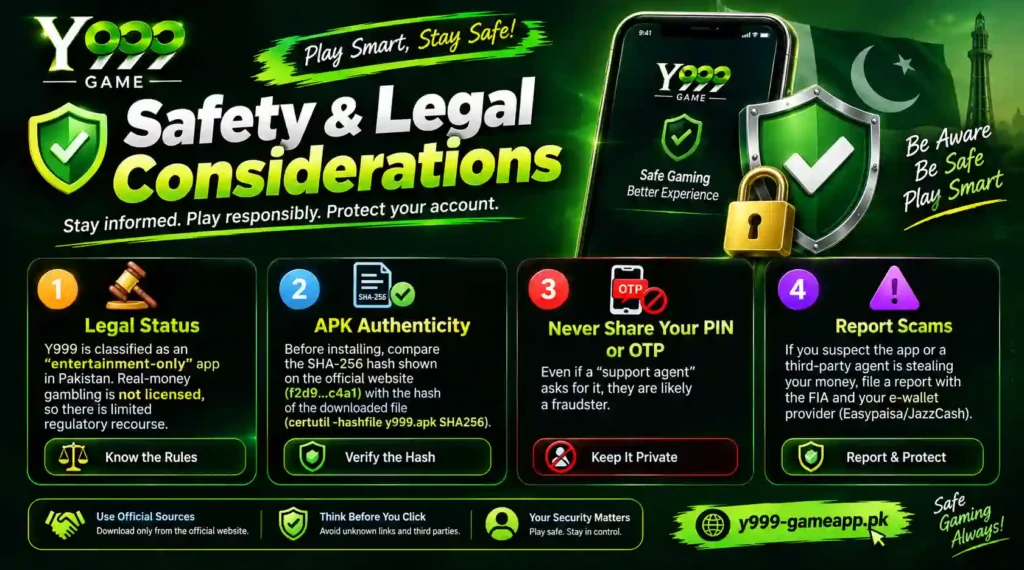
- Legal status: Y999 is classified as an “entertainment-only” app in Pakistan. Real-money gambling is not licensed, so there is limited regulatory recourse.
- APK authenticity: Before installing, compare the SHA-256 hash shown on the official website (f2d9…c4a1) with the hash of the downloaded file (certutil -hashfile y999.apk SHA256).
- Never share your withdrawal PIN or OTP. Even if a “support agent” asks for it, they are likely a fraudster.
- Report scams. If you suspect the app or a third-party agent is stealing your money, file a report with the FIA and your e-wallet provider (Easypaisa/JazzCash).
Alternative payout routes
| Alternative | How it works | Pros | Cons |
|---|---|---|---|
| Peer-to-peer handover (send Y999 credits to a trusted friend who cashes out for you) | Transfer credits within the Y999 app, then the friend withdraws to their own e-wallet. | No fees for you; useful if your e-wallet is temporarily blocked. | Trust risk; you lose control of the funds until the friend pays you. |
| Third-party cash-out services (e.g., “Cash4Game”) | You pay a small commission; the service withdraws on your behalf and sends you cash via a bank slip. | Works when Y999 blocks your direct payout. | Higher fees (≈ 5 %); service reliability varies. Research reviews first. |
| Direct bank transfer (if you have a personal bank account linked) | Provide full IBAN; Y999 sends the money through its banking partner. | No need for an e-wallet; funds land directly in your account. | Longer processing time (2–5 days) and a flat 100 PKR fee. |
User stories: Real-world successes & failures
Success: 18-hour Easypaisa payout
“I withdrew 4 000 PKR on a Monday afternoon. After confirming the PIN, I got the “Processing” screen. The money hit my Easypaisa account at 11 pm the same day. I kept the confirmation screenshot and it helped me prove the transaction when I asked a friend for a quick loan later.”: Ahmed, Karachi
Failure: 72-hour pending JazzCash
“My 2 500 PKR request stayed “Pending” for three days. I checked the number: typed a stray ‘9’ at the end. After editing the payment info in the “Withdrawal History” and resubmitting, the money arrived the next morning. Lesson: always double-check the digit count.”: Sara, Lahore
FAQ: Expanded beyond the basics
Can I cancel a withdrawal request?
If the request shows “Pending” and the “Cancel” button is visible, you can cancel it instantly. Once the system has passed the “Processing” stage, cancellation is no longer possible.
Why was my withdrawal rejected for “account not verified”?
Y999 blocks payouts for any account that hasn’t completed KYC. Upload a clear CNIC front & back, a selfie, and a utility bill, then wait for the verification badge.
What are the exact fees for JazzCash?
Flat 25 PKR plus 1.5 % of the withdrawn amount. For a 5 000 PKR withdrawal, you pay 25 PKR + 75 PKR = 100 PKR total.
How many times can I withdraw per day?
Unverified accounts: up to 2 000 PKR per request, max 1 request per day. Verified accounts: up to the method-specific max (see the table) and up to 3 requests per day.
What should I do if I entered the wrong Easypaisa number?
Open Withdrawal History, tap the pending entry, edit the payment details, and resubmit. If the request has already been dispatched, contact Easypaisa support with the transaction ID; they can reverse the transfer within 24 hours.
Is there a way to automate multiple withdrawals?
Y999 does not currently expose an API for bulk payouts. The only workaround is to schedule separate withdrawals manually, respecting the daily limit.
How to retrieve a lost withdrawal PIN?
Go to Profile → Security → Forgot PIN. You’ll need to verify your identity via an OTP sent to the registered mobile number, then set a new 6-digit PIN.
Downloadable cheat-sheet & printable checklist
The one-page PDF contains:
- All UI steps with thumbnail screenshots.
- Fee & limit table.
- Error-code quick-fix list.
- Contact info for Y999 support and FIA.
Print it, stick it on your desk, and reference it every time you cash out.
Conclusion & next steps
With the right preparation, updated app, verified account, correct payment details, you can withdraw from Y999 with confidence. Keep this guide handy, use the cheat-sheet, and never share your withdrawal PIN or OTP. If a request stalls, follow the troubleshooting matrix before escalating to support or the FIA.
Got a different error or a tip that helped you? Drop a comment below; the Y999 community thrives on shared experience. Happy earning and smarter cashing-out!