
How Can I Deposit Money Into Y999 and Fix Deposit Problems?
If you’ve ever stared at an “Order Timeout” message on Y999 Game while your JazzCash balance quietly went down, you know exactly how frustrating this game can be, and we’re not talking about the Aviator crash. Depositing money on Y999 is genuinely simple once you know the exact steps, but a single wrong field, your name, the amount, the timing, can kill the whole transaction.
This guide covers everything: how to deposit via JazzCash and Easypaisa step-by-step, how to withdraw your earnings, what every error message actually means, and how to fix it without losing your money. We’ve also included deposit and withdrawal limits, a JazzCash vs Easypaisa breakdown, scam warnings you need to know about, and answers to the questions nobody else bothers to answer.
Let’s get into it.
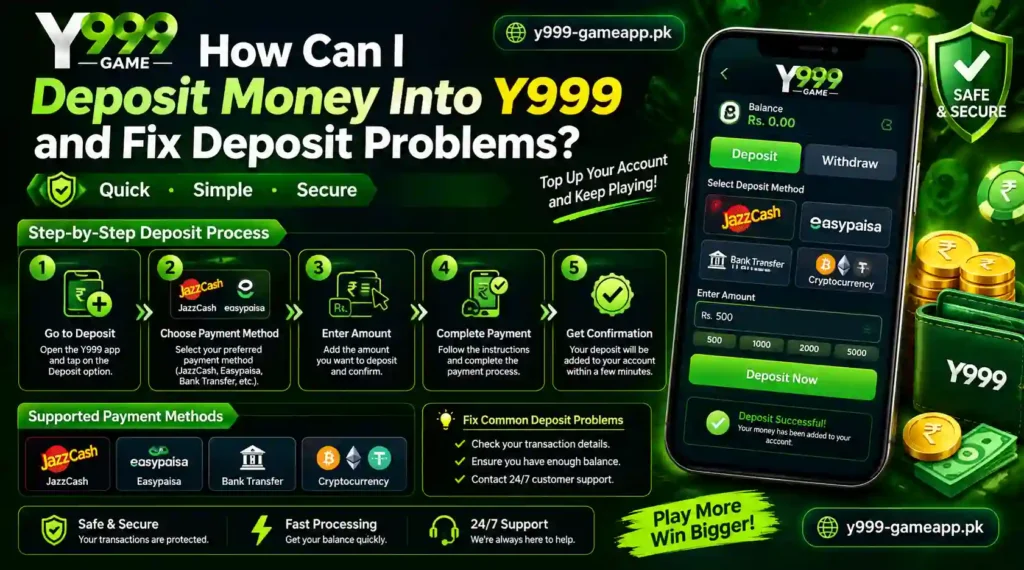
Before You Deposit: Run Through This Quick Checklist
Most failed deposits happen because of something that could have been prevented before touching the payment screen. Spend 30 seconds on this before you start.
You need all of these to be true:
- Your Y999 account is registered and your phone number is verified
- Your JazzCash or Easypaisa wallet is active, loaded, and you know your PIN
- Your name on the payment app matches your Y999 profile name exactly, not a nickname, not an abbreviation, not your father’s name. The exact same name.
- You have a stable internet connection (4G or Wi-Fi, don’t try this on a weak 3G signal)
- You are NOT using someone else’s JazzCash or Easypaisa account to deposit into your Y999 account
That last point is important. Y999 links your deposit to the payer’s name. If your friend sends the payment from their wallet on your behalf, the name won’t match your Y999 profile and the deposit will fail or get flagged.
How to Deposit on Y999 via JazzCash (Step-by-Step)
JazzCash is the fastest and most popular option for Y999 deposits in Pakistan. When done right, the money shows up in your Y999 wallet within seconds to two minutes.
Step 1: Open the Y999 app and log into your account.
Step 2: Tap on Wallet, then select Deposit.
Step 3: Choose JazzCash as your payment method.
Step 4: Enter the amount you want to deposit. Make sure it falls within the minimum and maximum limits (see the table below).
Step 5: Y999 will now show you:
- A JazzCash mobile number to send the payment to
- A countdown timer, this is usually between 10 and 15 minutes
Do not close the Y999 app during this step. Keep the screen open and start the JazzCash payment immediately.
Step 6: Open your JazzCash app → tap Send Money → Mobile Account.
Step 7: Enter the mobile number Y999 showed you. Double-check every digit, one wrong number means your money goes somewhere it shouldn’t.
Step 8: Enter the exact deposit amount. Even a ₨1 difference can cause a system mismatch.
Step 9: In the “Sender Name” or “Your Name” field, enter your name exactly as it appears on your Y999 profile. This is where most people make mistakes.
Step 10: Enter your JazzCash PIN and confirm the transaction.
Step 11: Return to the Y999 app. Your wallet balance should update within a minute or two. If it doesn’t update immediately, wait, don’t make another payment.
How to Deposit on Y999 via Easypaisa (Step-by-Step)
The Easypaisa process is almost identical, with a couple of differences worth knowing.
Step 1 to 4: Same as above, log in, go to Wallet → Deposit, choose Easypaisa, and enter your amount.
Step 5: Y999 will show you an Easypaisa account number and a countdown timer. Note that the account number Y999 gives you for Easypaisa is likely different from the JazzCash number, don’t mix them up.
Step 6: Open your Easypaisa app → Send Money → Mobile Account.
Step 7: Enter the Easypaisa number shown on Y999. Enter the exact amount.
Step 8: In the sender name field, enter your name as registered on your Y999 account.
Step 9: Complete the Easypaisa transaction with your MPIN.
Step 10: Return to Y999. Easypaisa deposits typically take 2 to 5 minutes to reflect, slightly slower than JazzCash. If your wallet shows “processing” for a few minutes, that’s normal. Wait 10 minutes before escalating.
Tip:
If you’re an Easypaisa user on the Telenor network, deposits tend to go through faster on Telenor data rather than Wi-Fi in some areas. If you’re having delays, try switching your connection.
Y999 Deposit & Withdrawal Limits: Full Table
This is information that every other guide skips. Here’s what you need to know before deciding how much to deposit or withdraw.
| Feature | JazzCash | Easypaisa |
| Minimum Deposit | ₨100 | ₨100 |
| Maximum Single Deposit | ₨25,000 | ₨25,000 |
| Daily Deposit Limit | ₨50,000 | ₨50,000 |
| Minimum Withdrawal | ₨200 | ₨200 |
| Maximum Daily Withdrawal | ₨50,000 | ₨50,000 |
| Deposit Processing Time | Instant to 2 min | 2 to 5 min |
| Withdrawal Processing Time | 1 to 4 hours | 2 to 12 hours |
| Deposit Fee | Free | Free |
| Withdrawal Fee | ~2% or flat ₨[X] | ~2% or flat ₨[X] |
Note:
Always verify limits from inside the Y999 app, these can change. If your account is not fully verified (CNIC submitted), your withdrawal limits may be lower.
JazzCash vs. Easypaisa: Which One Should You Use for Y999?
Honest answer: both work fine when set up properly. But they’re not identical. Here’s how to choose based on your situation.
| Feature | JazzCash | Easypaisa |
| Deposit Speed | Faster (instant to 2 min) | Slightly slower (2 to 5 min) |
| Withdrawal Speed | 1 to 4 hours | 2 to 12 hours |
| Rural Availability | Good | Better (Telenor coverage) |
| Common Error | CNIC/name mismatch | Wrong mobile number format |
| Best For | Speed-focused users | Users in low-Jazz-coverage areas |
Bottom line: If speed matters to you and you have a Jazz SIM, use JazzCash. If you’re in an area with better Telenor coverage or you already use Easypaisa regularly, stick with Easypaisa. Either way, the steps and the risks are essentially the same, so use whichever you’re more comfortable with.
How to Withdraw Your Y999 Earnings
Withdrawal gets almost no coverage in other guides, which is baffling because it’s literally the whole point. Here’s everything you need to know.
What You Need Before Withdrawing
- Your Y999 account must have earnings above the minimum withdrawal threshold (₨200)
- For larger withdrawals, your account may need CNIC verification. If you haven’t submitted your ID inside the Y999 app, do that first, it unlocks higher limits
- Your JazzCash/Easypaisa account name must match your Y999 registered name. This is checked on withdrawal too, not just deposits. If they don’t match, your withdrawal will be rejected or held for manual review.
- You can only withdraw to your own wallet, no sending to someone else’s number
Step-by-Step: How to Withdraw from Y999
- Open Y999 and tap Wallet → Withdraw
- Select your withdrawal method, JazzCash or Easypaisa
- Enter your registered mobile wallet number (the number linked to your payment app)
- Enter the amount you want to withdraw, within your available balance and daily limits
- Confirm the request, Y999 will generate a withdrawal order/ticket number. Save this.
- Wait for processing. Do NOT submit a second withdrawal request while the first is pending, this creates a duplicate ticket and slows both down.
- You’ll receive an SMS notification from JazzCash or Easypaisa when the funds arrive in your wallet.
How Much Will You Actually Receive?
Y999 charges a small processing fee on withdrawals. If the fee is 2% and you request ₨1,000, you’ll receive approximately ₨980 in your wallet. Always check the exact fee shown inside the app before confirming, it’s displayed before you hit the final submit button.
When to Expect Your Money
Withdrawal processing times vary:
- Business hours (9am to 9pm): Faster, usually 1 to 4 hours for JazzCash
- Late night / early morning: Can stretch to 12 to 24 hours, especially for Easypaisa
- Weekends and public holidays: Delays are common, plan accordingly
If your withdrawal has been pending for more than 24 hours, that’s when you should contact support.
Fixing Common Y999 Deposit Problems
Now the section most people actually come here for. Let’s go through every common problem one by one.
Problem 1: Order Timeout: What It Means and Exactly What To Do
“Order Timeout” is the most misunderstood error on Y999. It doesn’t always mean your money is lost, it means the Y999 system didn’t receive confirmation of your payment before the countdown timer expired.
Why it happens:
- You took too long to complete the JazzCash/Easypaisa payment (most common)
- You sent the payment to the wrong number
- The amount you sent didn’t exactly match what Y999 expected
- Your name in the payer field didn’t match your Y999 name
- A server-side delay on Y999’s end (rare but happens)
What to do right now:
First, check your JazzCash or Easypaisa transaction history:
- Money was NOT deducted from your wallet? → The order simply timed out with no payment made. You’re safe to start a new deposit. No money was lost.
- Money WAS deducted but Y999 shows Order Timeout? → Stop. Do not make another deposit. Open your JazzCash/Easypaisa app, find the transaction, and note down:
- Transaction ID / reference number
- Amount sent
- Date and time
- Mobile number you sent it to
Then contact Y999 support immediately with these details and a screenshot of the transaction. In most cases, either the deposit gets manually credited within a few hours or a reversal is processed within 24 to 72 hours.
Most important rule:
If money was deducted, do NOT make a second deposit assuming the first failed. Wait for confirmation from Y999 support first, otherwise you may end up double-depositing.
Problem 2: “Wrong Payer Information” Error
This one is entirely preventable and extremely common.
What’s happening:
Y999 receives a payment where the sender’s name doesn’t match the account holder’s name on file. The system rejects or flags the transaction.
Common mistakes:
- Using your nickname (“Bilal” when your registered name is “Muhammad Bilal Hussain”)
- Using your father’s name in the name field
- Having your JazzCash account under a slightly different spelling than your Y999 profile
Fix:
- Go into your Y999 profile and check the exact name listed
- Go into your JazzCash/Easypaisa app and check the account name (usually shown in Account Settings or on the home screen under your number)
- If they don’t match, update whichever one is easier to change, or contact Y999 support to request a name correction on your Y999 account
Going forward, before every deposit, confirm both names match exactly. It takes 5 seconds and saves a lot of headache.
Problem 3: Deposit Deducted From Wallet But Not Showing in Y999
This happens occasionally, especially during peak hours or when Y999’s servers are under load.
Steps to take:
- Wait 15 to 20 minutes before doing anything. Late credits do happen.
- Check: did you send to the exact mobile number Y999 showed you? Some platforms generate a unique number per session, sending to an old number from a previous session won’t work.
- If it’s been more than 20 minutes, collect: transaction ID, amount, timestamp, and Y999 deposit order ID (visible in your Y999 deposit history).
- Contact Y999 support. Most legitimate platforms resolve this within 24 hours with the right information.
- Do not make another deposit until this one is resolved.
Problem 4: Withdrawal Stuck on Pending
Your withdrawal has been sitting on “pending” for hours and nothing is moving. Here’s how to read the situation:
- Under 24 hours during business hours: Still in normal processing range, wait it out, especially for Easypaisa.
- Over 24 hours on a regular weekday: Contact Y999 support with your withdrawal ticket/order number.
- Weekend or holiday: Up to 48 hours can be normal. Still contact support if it crosses 48 hours.
Common reasons for a stuck withdrawal:
- Your JazzCash/Easypaisa account name doesn’t match your Y999 profile name
- Your account is flagged for verification (submit CNIC if you haven’t)
- You submitted multiple withdrawal requests, they queue and slow each other down
Problem 5: You Accidentally Submitted Two Deposits
It happens, the app froze, you weren’t sure if the first one went through, and you tapped again. Here’s the reality:
- Y999 may process both. Check your Y999 wallet, if your balance shows double the amount, both went through.
- If both were deducted from your JazzCash/Easypaisa but only one shows in Y999, contact support with both transaction IDs. The second payment will be credited or refunded.
- Don’t panic. As long as you have your transaction IDs, this is recoverable.
Extra: What Happens to Your Money If Y999 Has Downtime?
This question doesn’t get asked enough. If you deposit during a server outage or scheduled maintenance window, your money doesn’t disappear. The JazzCash/Easypaisa payment either:
- Completes successfully but Y999 hasn’t received it yet, the credit posts once servers are restored. This can take a few hours.
- Times out before the payment was completed, in this case, no deduction occurred.
The safest practice: avoid depositing during announced maintenance windows (Y999 usually posts these in the app or on their social channels). If you didn’t see an announcement and suspect this happened, check the Y999 community groups or their official social pages first to see if others are reporting the same thing. If it’s a platform-wide issue, support will usually batch-resolve all affected transactions.
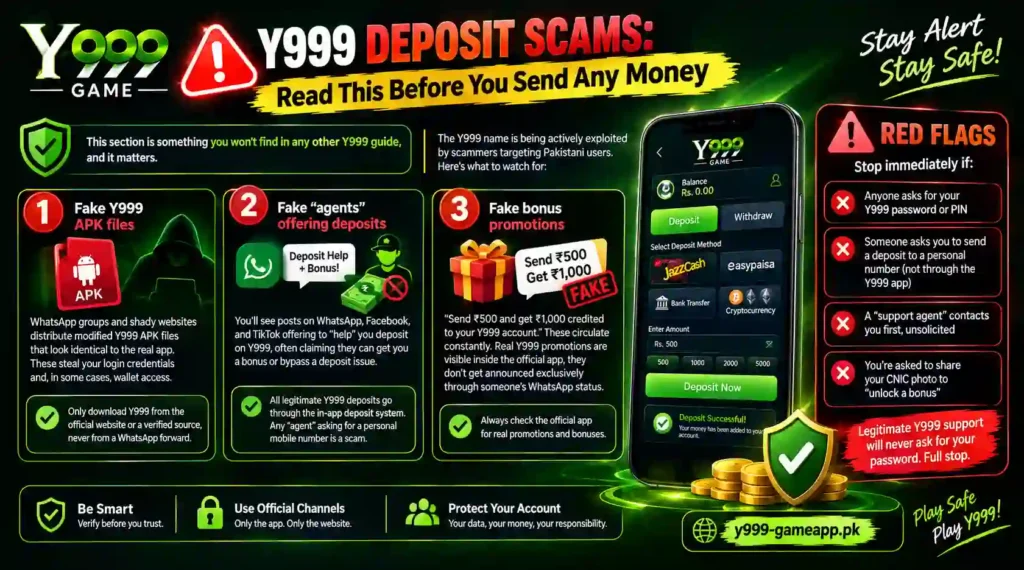
Y999 Deposit Scams: Read This Before You Send Any Money
This section is something you won’t find in any other Y999 guide, and it matters.
The Y999 name is being actively exploited by scammers targeting Pakistani users. Here’s what to watch for:
Scam 1: Fake Y999 APK files
WhatsApp groups and shady websites distribute modified Y999 APK files that look identical to the real app. These steal your login credentials and, in some cases, wallet access. Only download Y999 from the official website or a verified source, never from a WhatsApp forward.
Scam 2: Fake “agents” offering deposits
You’ll see posts on WhatsApp, Facebook, and TikTok offering to “help” you deposit on Y999, often claiming they can get you a bonus or bypass a deposit issue. All legitimate Y999 deposits go through the in-app deposit system. Any “agent” asking you to send money to a personal mobile number is a scam.
Scam 3: Fake bonus promotions
“Send ₨500 and get ₨1,000 credited to your Y999 account.” These circulate constantly. Real Y999 promotions are visible inside the official app, they don’t get announced exclusively through someone’s WhatsApp status.
Red flags, stop immediately if:
- Anyone asks for your Y999 password or PIN
- Someone asks you to send a deposit to a personal number (not through the Y999 app)
- A “support agent” contacts you first, unsolicited
- You’re asked to share your CNIC photo to “unlock a bonus”
Legitimate Y999 support will never ask for your password. Full stop.
How to Contact Y999 Support the Right Way
When something goes wrong, reaching support quickly and with the right information gets you resolved faster. Here’s how to do it properly.
Use official channels only:
- In-app chat (fastest, usually within a few hours)
- Official Y999 WhatsApp support number (listed inside the app, don’t search for it on random websites)
- Email support (slower, but useful for complex issues with screenshots)
What to include in your support message every time:
- Your Y999 registered phone number / account ID
- The deposit/withdrawal order number (from your Y999 history)
- Transaction ID from JazzCash or Easypaisa
- Exact amount and date/time of the transaction
- A screenshot of the JazzCash/Easypaisa transaction confirmation
- A brief description of what happened (Order Timeout, not credited, etc.)
The more complete your message, the faster the resolution. Don’t send just “my deposit didn’t work”, that creates a back-and-forth that delays everything.
Frequently Asked Questions
What is the minimum deposit amount on Y999?
The minimum deposit is ₨100. Deposits below this amount are not processed by the system.
How long does a Y999 JazzCash deposit take to reflect?
In most cases, it’s instant to about 2 minutes. During peak hours or server load, it can take up to 10 minutes. If it hasn’t reflected after 20 minutes, check your JazzCash transaction history and contact support.
Why does my Y999 deposit keep timing out?
The most common reasons are: taking too long to complete the payment after starting the order, entering the wrong amount, or having a name mismatch between your Y999 account and your JazzCash/Easypaisa account. Start a new deposit order immediately after tapping Deposit, don’t wait.
Can I use someone else’s JazzCash account to deposit on Y999?
Technically the payment may go through, but the payer name will not match your Y999 account name, which causes the deposit to fail or be flagged. Always use your own registered wallet.
What happens if I pay after the Y999 deposit timer expires?
If you complete the JazzCash/Easypaisa payment after the countdown hits zero, your money may be deducted but not credited to Y999, because the system has already closed that deposit order. Check your JazzCash transaction history immediately and contact Y999 support with proof of payment.
How do I withdraw money from Y999 to Easypaisa?
Go to Wallet → Withdraw → Select Easypaisa → Enter your Easypaisa number → Enter amount → Confirm. Make sure your Easypaisa account name matches your Y999 profile name exactly.
What is the maximum I can withdraw from Y999 per day?
The standard daily withdrawal limit is ₨50,000, but this may be lower for unverified accounts. Submit your CNIC inside the Y999 app to unlock the full limit.
Why is my Y999 withdrawal stuck on pending?
Common causes: name mismatch between your Y999 and wallet account, account not fully verified, or multiple pending withdrawal requests. If it’s been more than 24 hours, contact support with your withdrawal order number.
Does Y999 charge a withdrawal fee?
Yes, a small processing fee (typically around 2%) is deducted from the withdrawal amount before it reaches your wallet. The exact fee is shown inside the app before you confirm.
My name on JazzCash is different from my Y999 account, what should I do?
Update your Y999 profile name to match the exact name on your JazzCash/Easypaisa account. If you can’t edit it yourself, contact Y999 support and request a name correction, provide your CNIC as verification.
Can I deposit on Y999 without JazzCash or Easypaisa?
Currently, JazzCash and Easypaisa are the primary deposit methods for Pakistani users. Bank transfer options may be available for larger amounts, check inside the Y999 app for any additional methods added recently.
How do I check my Y999 deposit history?
Go to Wallet → Transaction History (or Deposit History) inside the Y999 app. Each transaction shows the order ID, amount, date, and status. This is the first place to check after any failed or delayed deposit.
Is Y999 safe to deposit money on?
Y999 is used by a large number of Pakistani players, but like any online platform, it carries risk. The platform itself processes deposits through regulated payment gateways (JazzCash, Easypaisa). The risks come primarily from fake apps, scam agents, and unauthorized third-party “helpers.” As long as you use the official app and deposit only through the in-app system, your transactions are processed through legitimate payment channels.
What is the Y999 support WhatsApp number?
The official support contact is listed inside the Y999 app itself. Do not use any WhatsApp number you find on random websites or social media, those are frequently scam accounts impersonating Y999 support.
Can I cancel a Y999 withdrawal request?
In most cases, once a withdrawal request is submitted, it cannot be cancelled, the system moves it to processing immediately. If you submitted a wrong amount or number, contact support as soon as possible, before the withdrawal is processed.
Final Word
Depositing on Y999 is a smooth experience when you go in prepared, the right name, the right amount, and moving fast before the timer runs out. The problems almost always come down to one of three things: a name mismatch, a wrong amount, or waiting too long after starting the order.
When something does go wrong, the most important thing is to not make another deposit or withdrawal until you know what happened to the first one. Check your JazzCash/Easypaisa transaction history, gather your proof, and contact Y999 support through official channels only. The money is almost always recoverable with the right information.
And stay alert to scams. The Y999 name is being misused constantly, if anyone contacts you offering deposit help, bonus unlocks, or asking for your password, that’s not Y999. Walk away.